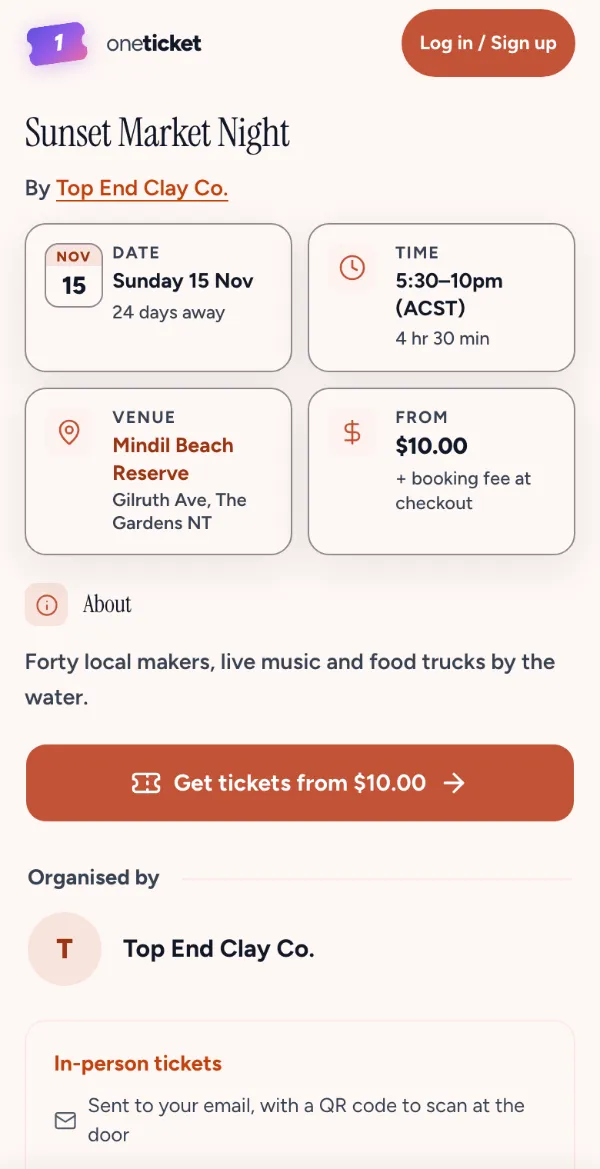
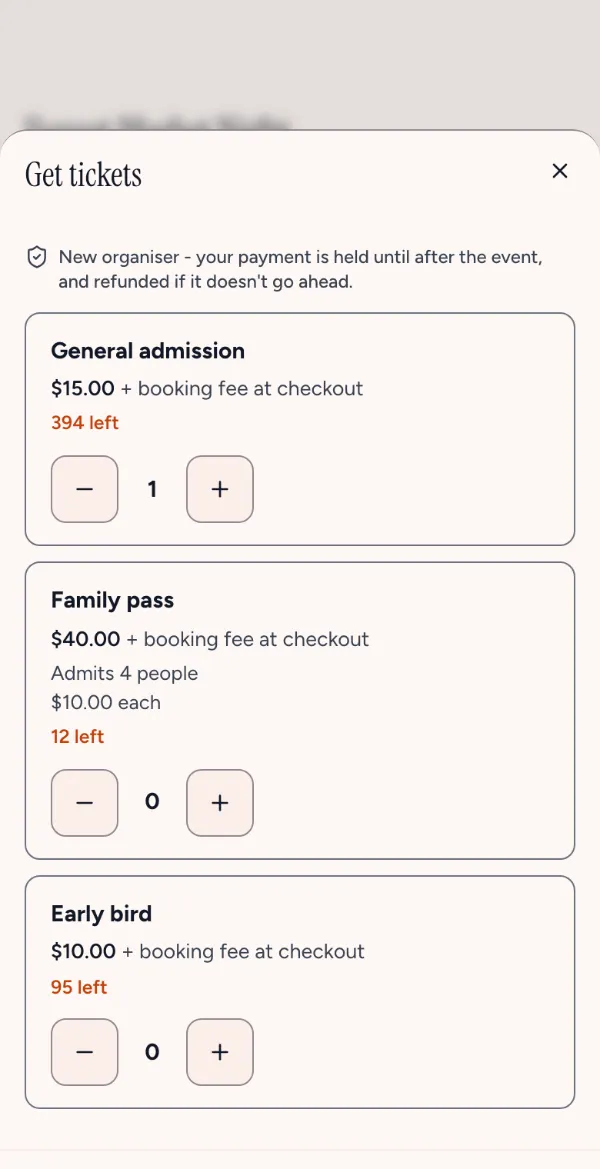
Step 1: A button
A Buy tickets button that opens the tickets over your page. Give it your own class to style it.
Products · Website widget Pro and Team
Paste a Buy tickets button, a ticket card or your whole events list into your site. Buyers choose tickets there and pay on One Ticket’s secure checkout.
The widget and making tracked links are on Pro and Team, A$1 for your first year on a limited-time offer.
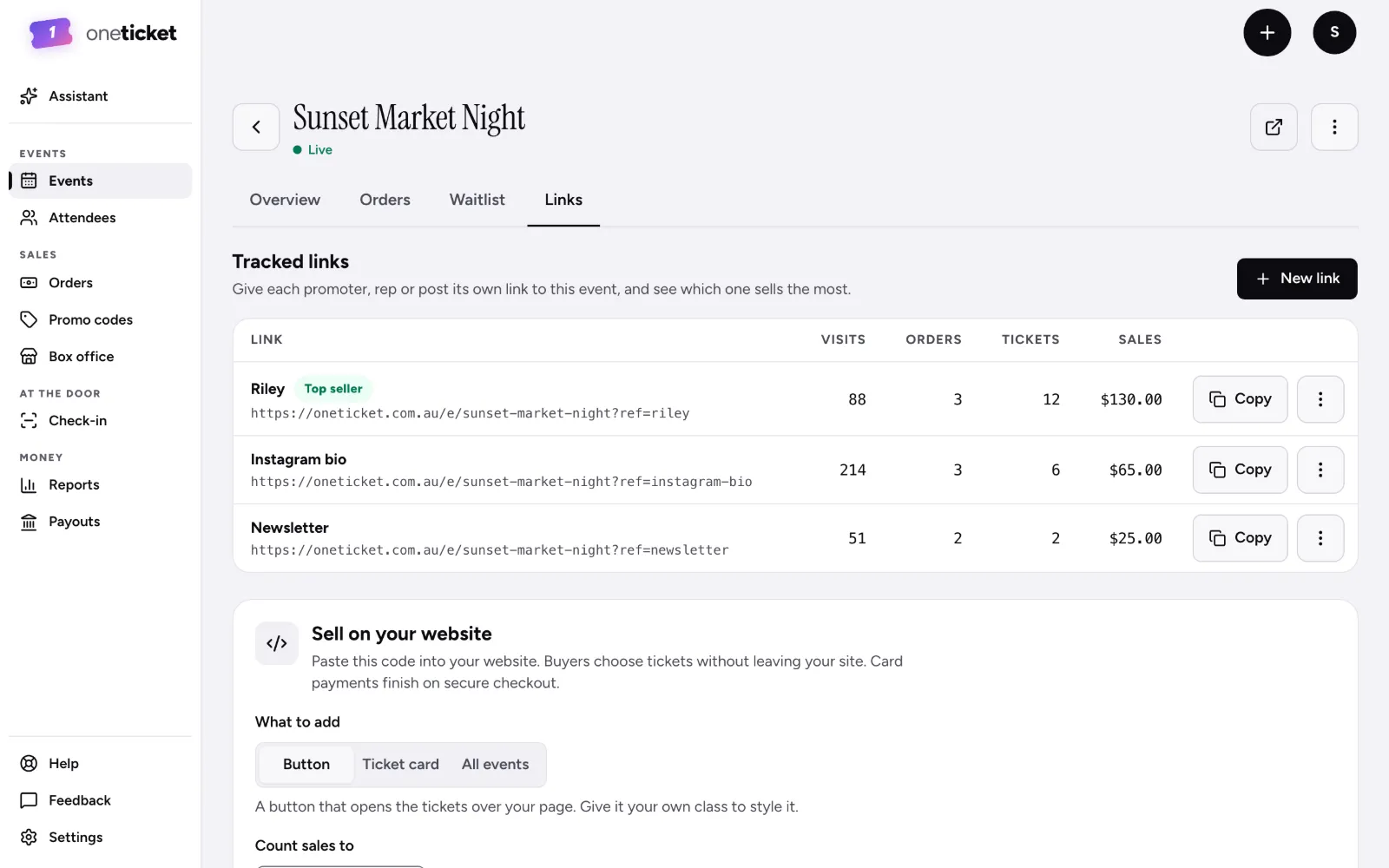
What to add
Copy the code from your event’s Links tab and paste it into your page.
A Buy tickets button that opens the tickets over your page. Give it your own class to style it.
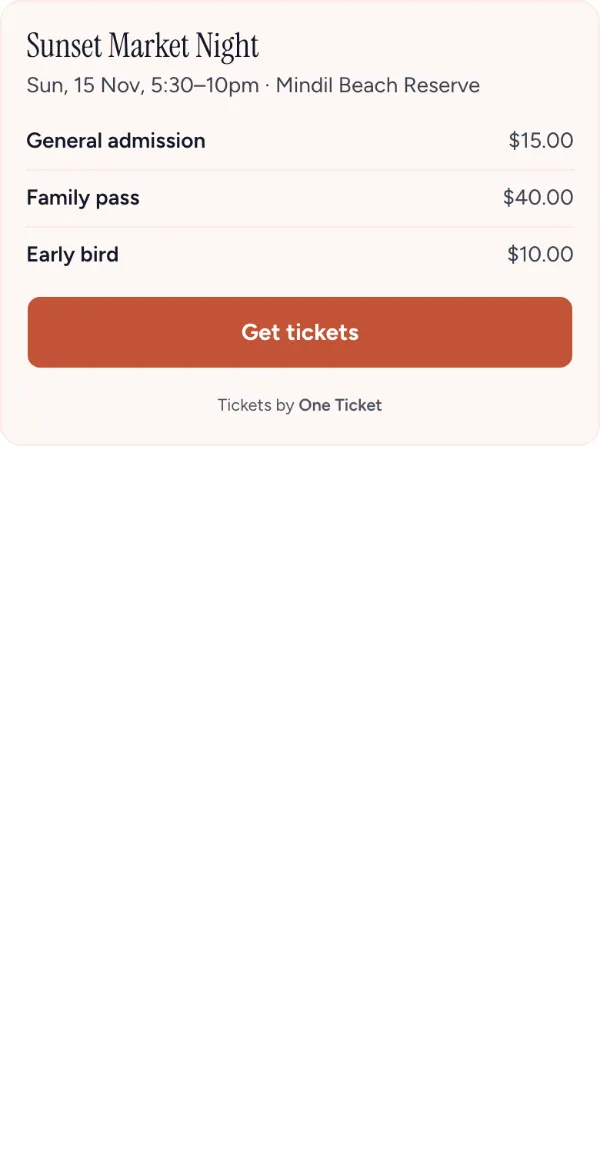
One event’s card with a Get tickets button, for a page about that night.
A list of every upcoming public event of yours, kept up to date as you add more.
Tracked links Pro and Team
A named link for each promoter, post or newsletter, counting the visits and sales each one brings.
Yes, on Pro and Team: add a Buy tickets button, a ticket card or your events list, and buyers pay on One Ticket’s checkout. Pro and Team are open now: upgrade any time in Settings › Plan. Limited-time offer: A$1 for your first year (first 100 organisers), then A$29/month for Pro or A$79/month for Team. Cancel anytime.
Card payments finish on One Ticket’s secure checkout, and the money goes to your own Stripe account, as on your event page.
The code you pasted keeps working, but shows a link to your event page instead of the tickets.
A link to your event with its own name, for a promoter or a post. Each counts the visits and sales it brings, so you see what works.
The widget comes with Pro and Team. Your event page and its link are on Free today.