

Which alternative fits your event?
Start from the one requirement that decides it.
| Your main requirement | Start with |
|---|---|
| The same people every week or month, with a season or monthly subscription | One Ticket |
| A public one-off that strangers have to discover | Eventbrite |
| Reserved seating, and a fee that gives to charity | Humanitix |
| A school, club or council booking your committee already knows | TryBooking |
| A flat monthly fee instead of a per-ticket fee, at high volume | Ticket Tailor |
One Ticket is our product. The rows that point elsewhere are why the table is worth reading.
Ready-made template
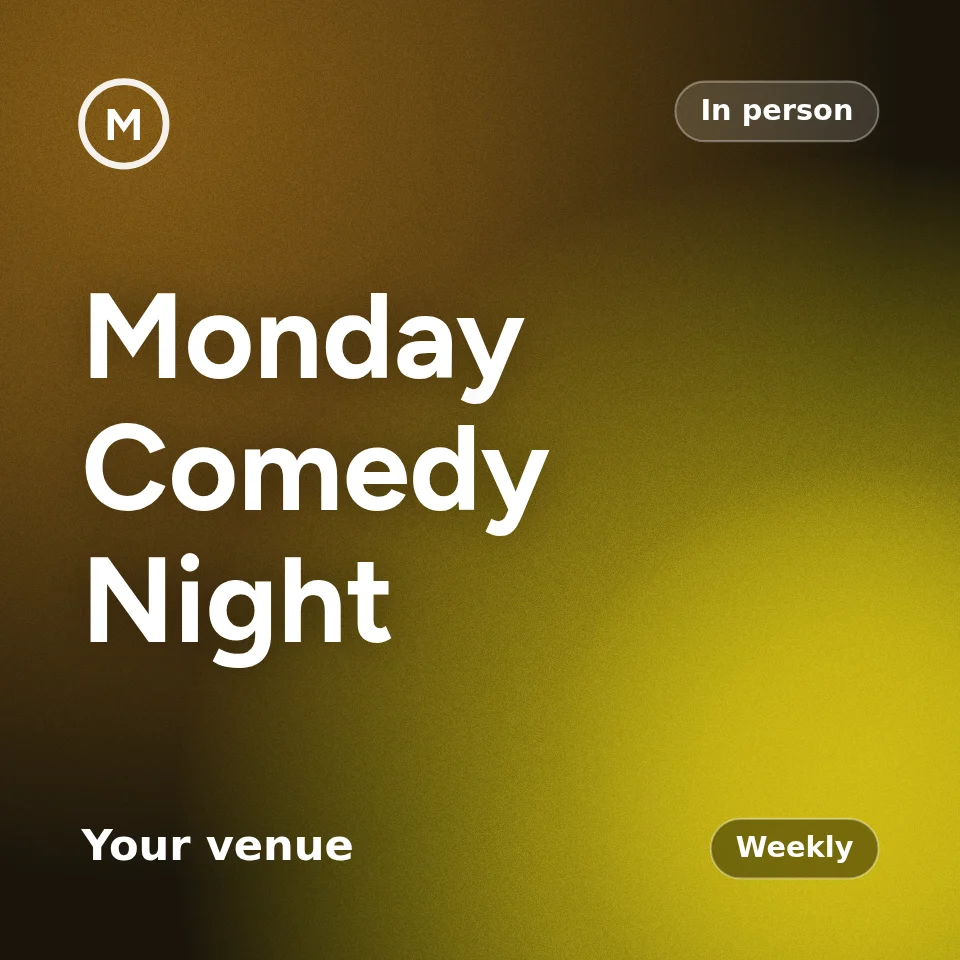
Monday Comedy Night
Weekly comedy night, already set up as an event you can open now. Pick a date and a venue, change what you like, and publish. Nothing is saved until you do, and you can start without an account.
- An early bird and a general ticket, every Monday
- A required 18 and over question
- A cap per order and the waitlist
How attendees will find the next event
Answer this before comparing fees. It splits the shortlist in two.
| A marketplace | Your own list | |
|---|---|---|
| The audience | People looking for something to do, who have not heard of you | People you already have, and the ones they bring |
| Your page | Sits beside other events, with recommendations on the way out | Your event, and nothing else |
| Your attendees' details | Part of the marketplace's audience | Yours to export and write to |
| How it spreads | Search, digests, recommendations | A link, a share card, a QR poster |
| Right for | A launch, a festival, a paid public workshop | A weekly room, a members' night, a support group |
Eventbrite alternatives compared
Functions as each platform describes them on its own site, checked on the dates in the sources list.
Swipe the table to see every column.
| Platform | Relevant functions |
|---|---|
| One Ticket | A series as one object; who is new, returning and missing after each session; season and monthly subscriptions; ticket money charged to your own Stripe account; block a person from a ticket type; your theme, font and cover; import an Eventbrite listing by pasting the link |
| Eventbrite | Marketplace listing with search and recommendations; recurring events as a schedule of separate listings; organiser app for check-in; payout after the event |
| Humanitix | Event tickets, reserved seating, waitlists, and a booking fee that funds charity |
| TryBooking | Event and session ticketing, seating plans, forms; widely used by schools and community groups in Australia |
| Ticket Tailor | Event tickets, recurring occurrences, seating; a per-ticket or a flat monthly fee |
| Luma | Event calendars, invitations and RSVPs, with paid events as an option |
A dashed underline marks a description still to be checked against the platform's own page.
What is a paid upgrade, and what is not
Eventbrite keeps these for its Pro and Premium subscriptions, monthly or annual. On One Ticket there is no plan: every feature is on every account.
Swipe the table to see every column.
| Function | Eventbrite | One Ticket |
|---|---|---|
| Emailing people about your events | PaidMore marketing email on Pro, from $15 a month, or Premium | FreeA message to everyone booked and the reminder the day before, on every account. One Ticket does not send marketing newsletters |
| Getting the money sooner | PaidInstant payouts for a fee, half price on Premium | FreeEach ticket is paid into your own Stripe account as it sells, with no payout fee |
| Help when something goes wrong | PaidLive chat and priority email on Premium | FreeThe same support for every account |
| Being promoted | PaidEventbrite's paid social campaigns, ads credits and a badge on Premium | FreeNo marketplace and no ads: your own short link, share cards that render, and your own organiser page |
Who looks after the buyer
A ticket is a promise made before the night, and the buyer pays before they can check it. These are the rules each platform sets for when that promise changes or is not kept.
Swipe the table to see every column.
| When | Eventbrite | One Ticket |
|---|---|---|
| The date or place moves after you book | If the organiser postpones and sets a new date within 90 days, refunds are at the organiser's discretion | Anyone who booked before the change can refund in full, booking fee included, until it starts, whatever the refund policy says |
| The booking fee on a refund | Not refunded, unless the event is cancelled or postponed | Returned when the organiser refunds, when the event changes and when it is cancelled. A buyer refunding under the event's own policy gets the ticket price back |
| Asking for a refund | Organisers set the refund policy and must answer refund requests within five business days | The buyer asks from their ticket and sees the answer-by date. Unanswered after 3 days, One Ticket support takes it up and the organiser's payouts are held |
| Seeing how past events went | Attendees can rate events in the US, Canada and the UK. A rating is shown publicly only on the US site, from 10 ratings, and only when the average is 4 stars or above | Every event, in Australia too. The average shows under the organiser's name from 5 ratings, good or bad, beside a verified tick that is earned by selling here |
On One Ticket a new organiser's ticket money stays in their account until two days after the event, and for as long as anyone says it did not go ahead, so there is money to refund from. Three such reports go straight to One Ticket support and take the organiser's tick off; anyone can report an event before it happens too. The full rules are on how refunds work.
Fake events and fake emails
A ticketing site is a useful way to send a scam, because the email really does come from the ticketing site. In 2024 security researchers reported phishing campaigns that made free events on Eventbrite dressed as banks, delivery companies and energy retailers, so the platform's own emails carried the lure past spam filters. Organisers have also found copies of their own events taking money for nights they never ran. Every platform takes reports. These are the rules One Ticket sets before a report is needed, for an organiser who has no track record here yet.
Swipe the table to see every column.
| The trick | What One Ticket does |
|---|---|
| An event that is not real | An in-person event goes live only at an address that is a real place on the map. Anyone can report an event from its page, and three different people in a week take a new organiser's event off sale until we have looked |
| An event dressed as a bank or a bill | Every page is read before it can send a single email. A bank, government or brand name beside payment wording, or a phone number or web address in the title, takes it off sale on the spot. A sweep reads every new page within 15 minutes as well |
| A booking confirmation used as the lure | Our emails never carry an organiser's own links or phone numbers in the title, venue or ticket names. Every confirmation ends with “Didn't book this? Tell us”: one tap cancels a free booking, stops that organiser emailing the address again and counts as a report |
| A Join button that goes somewhere else | A new organiser's join and recording links go out only when they open Zoom, Google Meet, Teams, YouTube, Vimeo or another known meeting site. Join links reach ticket holders only, never the public page |
| Free tickets booked in strangers' names | A new organiser can send up to 500 free confirmations a day, and one inbox gets at most 3 a day from new organisers. Past that the booking stands and the email is not sent |
| Paying for a night that never happens | A new organiser's ticket money stays in their account until two days after the event, and for as long as anyone reports it did not go ahead, so there is money to refund from |
A new organiser is one whose first paid event has not yet gone ahead cleanly. After that event, money is paid out as it sells and join links can open any site. A chargeback or an unanswered refund request puts the rules back.
One Ticket for a recurring room
Everything below follows from one decision: a series is one object, not a list of dates.
| Feature | What it does |
|---|---|
| Who came back | After every session: how many came, how many had been before, who is new and who has stopped coming, by name, with an address to write to |
| Subscriptions | One subscription covers every session in a series. Each night's ticket is minted ahead of time |
| Paid out | Every ticket is charged to your own Stripe account. A new account is paid out to your bank two days after each event, once guests have said how it went; after a first clean event it is paid out as it sells |
| Fees | No platform fee on the ticket price. The buyer pays a booking fee: a platform tier of 35c to $1.45 a ticket, then 1.5% of the price above $100, plus card processing. On a $25 ticket that is $1.45 all in, so the buyer pays $26.45. Free tickets cost nothing |
| Refund if it changes | Move the date, start time or place after people have booked and every one of them can refund in full, booking fee included, until it starts, whatever your refund policy says. You are warned before you save, and everyone booked is emailed the new details |
| Refund requests | On a case-by-case event the buyer asks from their ticket. You have 3 days to refund or decline; a request nobody answers goes to One Ticket support, and your payouts are held until it is settled |
| Guest ratings | After each event, ticket holders rate it: stars and a few words. From 5 ratings the average shows under your name on every event page, good or bad. Notes are for you alone, and never say who wrote them |
| Scam protection | Every page is read before it can send an email, and our emails carry none of an organiser's own links or phone numbers. A new organiser's money is held until after the event, and anyone can report an event from its page |
| Verified tick | Earned by selling here: 3 past events, 25 tickets, no chargebacks, no ignored refund requests, and an average of 4 stars once there are 10 ratings. A chargeback or an ignored request takes it away at once |
| Block a person | Block an address from a ticket type, for this event or every one after it. No public list, no conversation at the door |
| Your page | Your colours, your title font, your cover. Nobody else's event on it |
| Import | Paste an Eventbrite link and the title, description, date, venue and ticket types come across |
| Not included | A marketplace. There is no search page and no audience to sell into; the people are the ones you bring |
The rest of the shortlist
| Platform | Choose it for | Weigh up |
|---|---|---|
| Humanitix | A booking fee that funds charitable causes; reserved seating and waitlists | A community that cares where the fee goes has a reason here that no other platform matches |
| TryBooking | Familiarity with Australian schools, clubs and councils; session ticketing and seating plans | If your committee already knows it, that is a cost saved |
| Ticket Tailor | A flat monthly fee as an alternative to paying per ticket; recurring occurrences and seating | At thousands of low-priced tickets a flat fee can beat any per-ticket schedule |
| Luma | Calendars, invitations and RSVPs, with paid events as an option | Suits a social calendar in a group chat better than a ticketed weekly room |
A recurring event or a series?
Not the same thing, and the difference is the one that matters here.
| A recurring event | A series | |
|---|---|---|
| What it is | One listing copied to many dates | One object with sessions inside it |
| Each date | Sells and reports on its own | Belongs to the same thing as the last one |
| Can answer | When is the next one | Did last week's people come back |
| Selling a season | Forty listings a year | One subscription |
| A new session later | Set up again | Inherits the series |
| Right for | Separate occasions with different audiences | The same room meeting again |
Moving from Eventbrite
| What moves | What happens |
|---|---|
| Existing orders | Stay on Eventbrite. Nothing is migrated for an event that has already sold |
| The next event | Paste its Eventbrite link into the builder, check times and ticket types, set your colours, publish, send the new link |
| Running both | Fine. Many organisers list a public one-off on the marketplace and run the weekly room here |
On fees, compare on one ticket rather than on percentages, because the two models are shaped differently.
| A $25 ticket | One Ticket | Eventbrite |
|---|---|---|
| Organiser keeps | $25.00 | Worked from the sourced rate |
| Buyer pays | $26.45. The $1.45 booking fee is the buyer's line on the receipt | Depends on whether fees are absorbed or passed on |
| Card processing | Comes out of the booking fee side, not the $25 | Charged to the organiser per paid ticket |
| Money reaches you | Into your Stripe account at the sale; to your bank two days after the event while you are new, or as it sells once verified | After the event |
| A refund | Ticket money comes back out of your balance; the booking fee goes back to the buyer too | The ticket price, under the organiser's policy; the fees only if the event is cancelled or postponed |
A flat booking fee is cheaper for the organiser at every price, and it is a fee the buyer sees. If your event needs the marketplace's audience, its fee is buying that audience. Put your own numbers into the fee calculator; the pricing page has the full schedule.
Sources and method
Every statement about another platform on this page is checked against a dated page from that platform, kept in this list. Where a claim could not be sourced it is not made. Comparative claims about a named competitor are advertising, and we treat them that way.
- Eventbrite Australia pricing page, fees for paid tickets: eventbrite.com.au/organizer/pricing.
- Eventbrite help centre, "When will I get paid" and "Refund policy": eventbrite.com/help/en-au.
- Eventbrite help centre, "Create a recurring event": eventbrite.com/help/en-au.
- Humanitix pricing and features: humanitix.com/au/pricing, humanitix.com/au/features.
- TryBooking pricing and features: trybooking.com/au/pricing, trybooking.com/au/features.
- Ticket Tailor pricing and features: tickettailor.com/pricing, tickettailor.com/features.
- Eventbrite Pro and Premium subscriptions, including email marketing, instant payouts, support and promotion: eventbrite.com/help: Eventbrite's pricing and plans, and instant payout fees: eventbrite.com/blog/instant-payouts. Checked 4 October 2026.
- Eventbrite help centre, "Is the Ticketing Fee refundable?", "Eventbrite's Organizer Refund Policy Requirements" and "Postpone and reschedule your event": ticketing fee refunds, organiser refund policy, postponing. Checked 4 October 2026.
- Eventbrite help centre, "Understanding ratings on Eventbrite": eventbrite.com/help: ratings. Checked 4 October 2026.
- One Ticket refunds and ratings: the rules on how refunds work.
- Luma pricing and features: luma.com/pricing.
- Help Net Security, “Phishers reach targets via Eventbrite services”, 29 October 2024, reporting Perception Point's research: helpnetsecurity.com.
- Which?, “Scammers cloned my event on Eventbrite”: which.co.uk.
- Eventbrite help centre, “How to report an event on Eventbrite”: eventbrite.com/help: report an event. Checked 4 October 2026.
- One Ticket fee schedule: 35c to $1.45 a ticket, then 1.5% of the price above $100, as on the pricing page and the fee calculator.
- One Ticket payouts: every ticket is charged to the organiser's connected Stripe account; a refund reverses that transfer and refunds the booking fee.

One Ticket
Sell tickets. Keep every dollar.