Buy tickets
Book from an event page. No account needed: your tickets arrive by email.
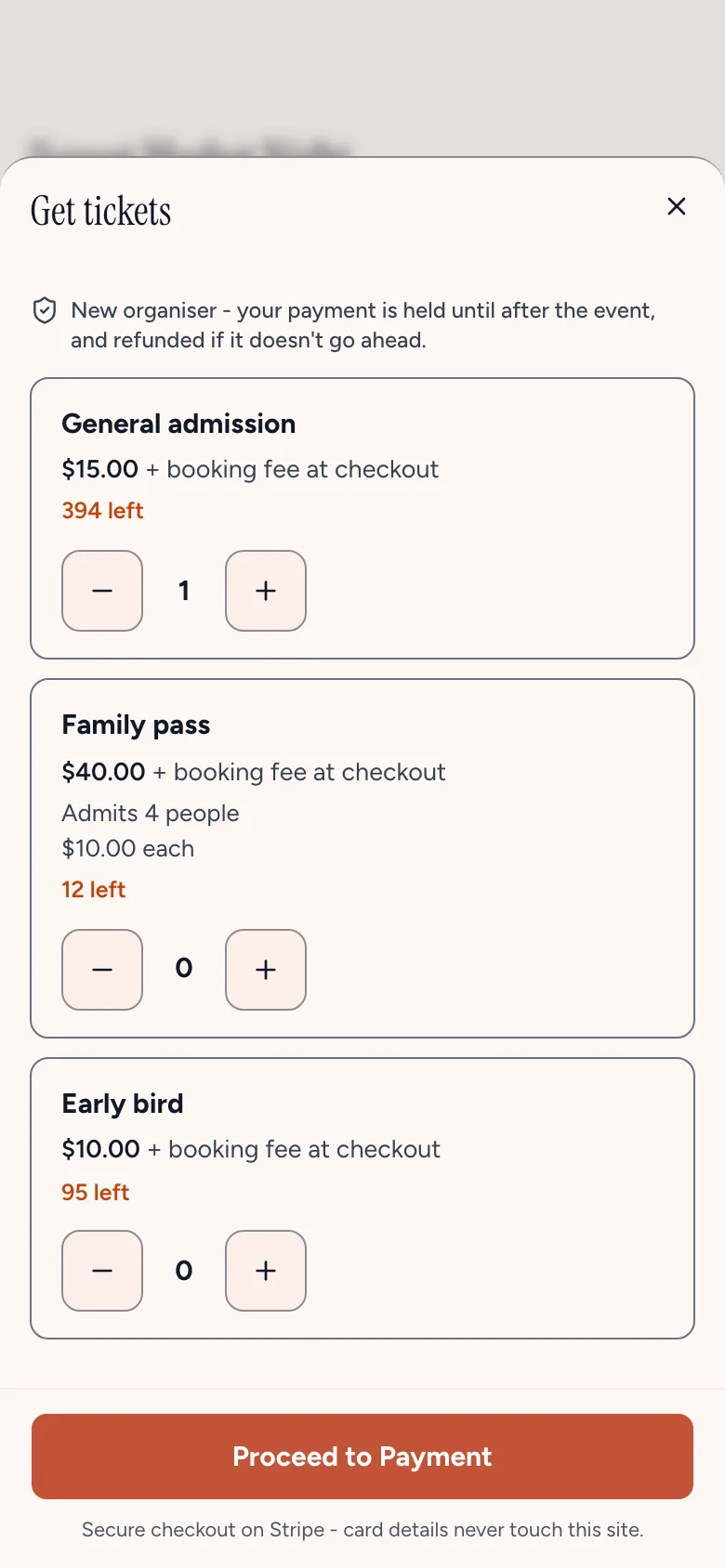
- On the event page, choose Get tickets (the organiser may call it something else, such as RSVP).
- Use + to choose how many of each ticket you need, and any extras.
- Type your name and email. Check the email carefully: it's where your tickets go. If it looks like a typo, we'll ask "Did you mean…?"
- Answer any questions the organiser asks, and type a promo code if you have one.
- For free tickets, choose Get my tickets and you're in. For paid tickets, choose Proceed to Payment and pay by card on Stripe's secure checkout. The booking fee and total are shown before you pay.
You'll see "You're in!", and your tickets arrive by email, each with a QR code to show at the door (or, for an online event, the link to join). Choose View my ticket to open it straight away.
Booking for other people
If you book more than one ticket, you can give each ticket its holder's name and email, so they get their own ticket. For a group ticket, such as a family pass, you can leave the others' names blank.
Before you pay
The event page shows the organiser's refund policy, and for an organiser new to One Ticket, that your payment is held until after the event and refunded if it doesn't go ahead.
Typed the wrong email?
Choose View my ticket after booking, then Wrong address?. Within an hour of booking, you can send your tickets to the right address.
Still stuck? Contact support and a person will get back to you.