Promo codes
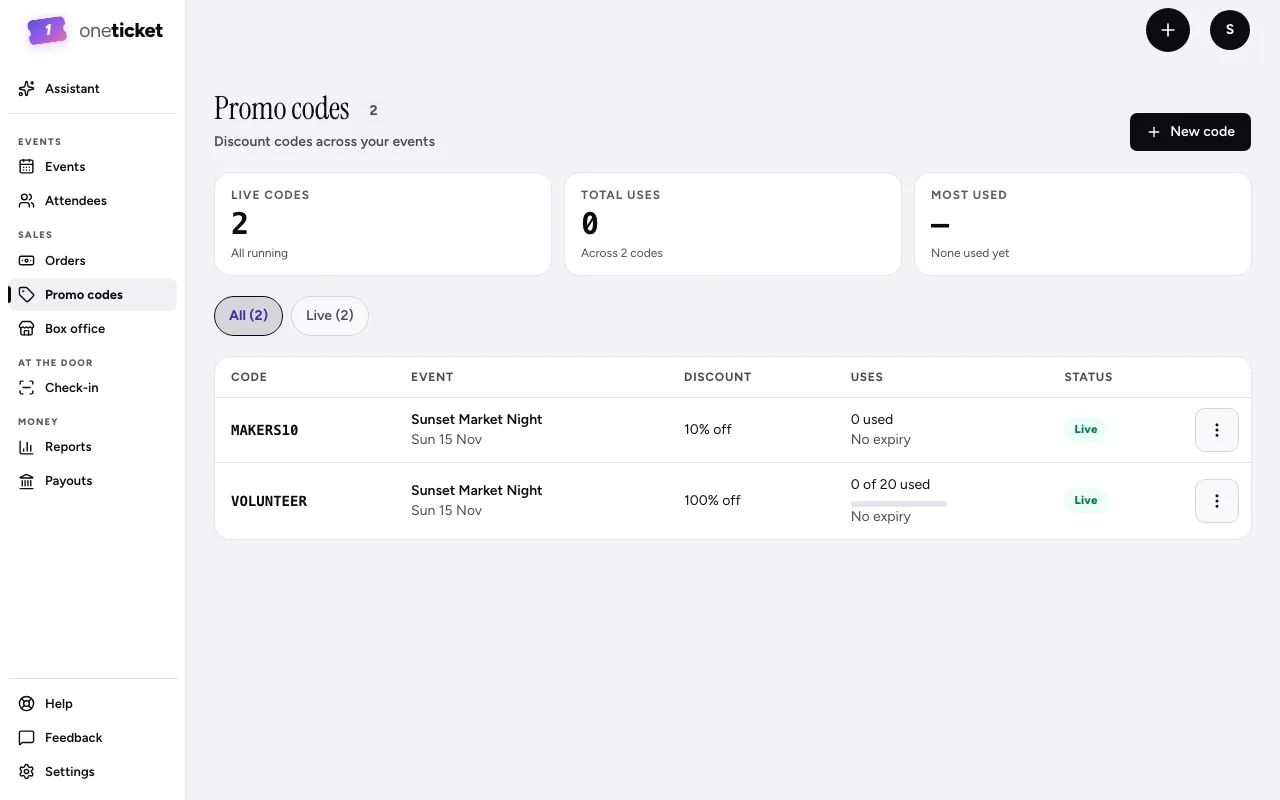
Discount codes buyers type at checkout: a percentage off, or an amount off the order.
A promo code takes money off the ticket price, before the booking fee. Each code belongs to one event.
Make a code
- Choose Promo codes in the menu on the left.
- Choose New code.
- Pick the Event.
- Type the Code buyers will enter, such as MAKERS10.
- Choose the Type:
- Percent off: 1 to 100, off every ticket in the order.
- Amount off the order: taken off the whole order once, not per ticket.
- Type the Amount.
- Optionally set Max uses (blank is unlimited) and a Last day. A code works until 11:59 pm that day, in the event's time zone.
- Choose Add code.
You can also add codes from the event itself: in the editor, choose 8 settings, then Promo codes. Save the event first; codes save as soon as you add them.
Turn a code off or delete it
Open the code's menu (⋮) and choose Turn off, Turn on or Delete. A code that has been used can only be turned off, so your orders keep their history.
Good to know
- Codes don't apply to pay what you want tickets.
- To hide the "Enter code" box on the event page, turn on Hide the discount code box under Hidden on the page. Codes you've shared keep working.
- A code at 100% off makes the order free, which is handy for volunteers and guests.
Still stuck? Contact support and a person will get back to you.