Extras (add-ons)
Sell a drink token, parking, a programme or merch with the tickets.
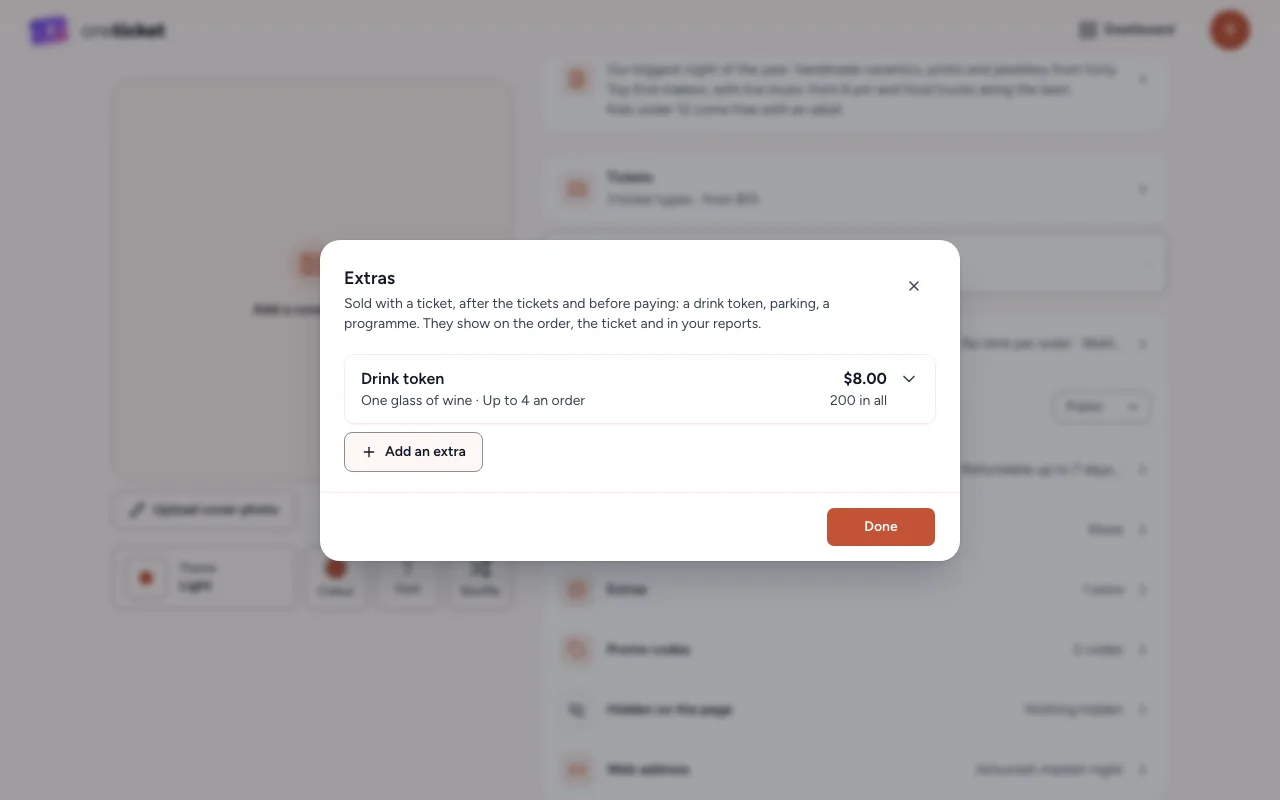
Extras are sold with a ticket, after the buyer picks their tickets and before they pay. They show on the order, on the ticket, at the door and in your reports.
Add an extra
- In the editor, choose 8 settings, then Extras.
- Choose Add an extra.
- Fill in the Name (such as "Drink token"), the Price, and optionally A line under it (such as "One glass of wine").
- Optionally limit Most per order and How many in all.
- Choose Done, then Save in the editor.
At the door and afterwards
- When you scan a ticket, the door shows the booking's extras, so you know who gets the drink token.
- Refund an extra on its own with a partial refund (Pro and Team).
- Reports shows Extras sold for the period, apart from ticket money.
Removing an extra
Choose Remove extra. If some have sold, it's taken off sale and the orders keep it.
Still stuck? Contact support and a person will get back to you.