Find your tickets
Every ticket booked with your email, in one place, even if the email never arrived.
Can't find your ticket email? Your tickets are under My tickets.
- Go to oneticket.com.au/tickets (or choose My tickets at the foot of any page).
- Sign in with the same email you booked with. We email you a 6-digit code: no password needed.
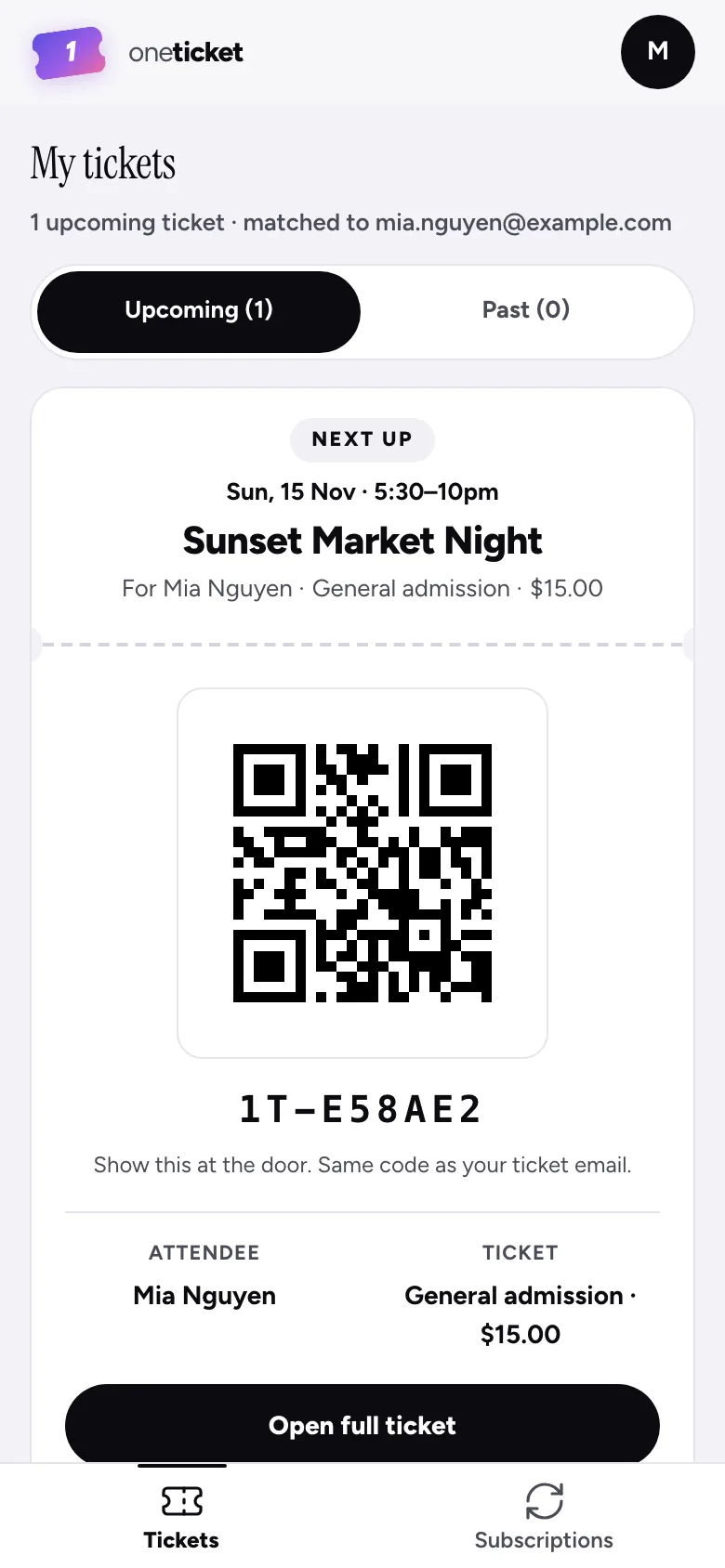
- Your tickets are listed under Upcoming and Past, and Cancelled if an event was called off or an order refunded.
At the door
Your next event is at the top with its QR code: show it at the door. It's the same code as in your ticket email. Choose Open full ticket to see the whole ticket, with the date, time and where to go.
Keep a copy
- Save QR: saves the QR code to your phone.
- Add to calendar: adds the event to your calendar.
Once you've opened a ticket, it's kept on your phone, so it still opens without signal.
Still can't find it?
- Check your spam or junk folder for an email from One Ticket.
- Make sure you signed in with the email you booked with.
- Ask the organiser to resend it, or contact support.
Still stuck? Contact support and a person will get back to you.