Connect Stripe to get paid
Paid tickets need a Stripe account. Ticket money goes straight into it: One Ticket never holds it.
One Ticket isn't a payment processor: Stripe is. You connect your own Stripe account, buyers pay into it, and Stripe pays your bank. Free tickets work without Stripe.
Connect your account
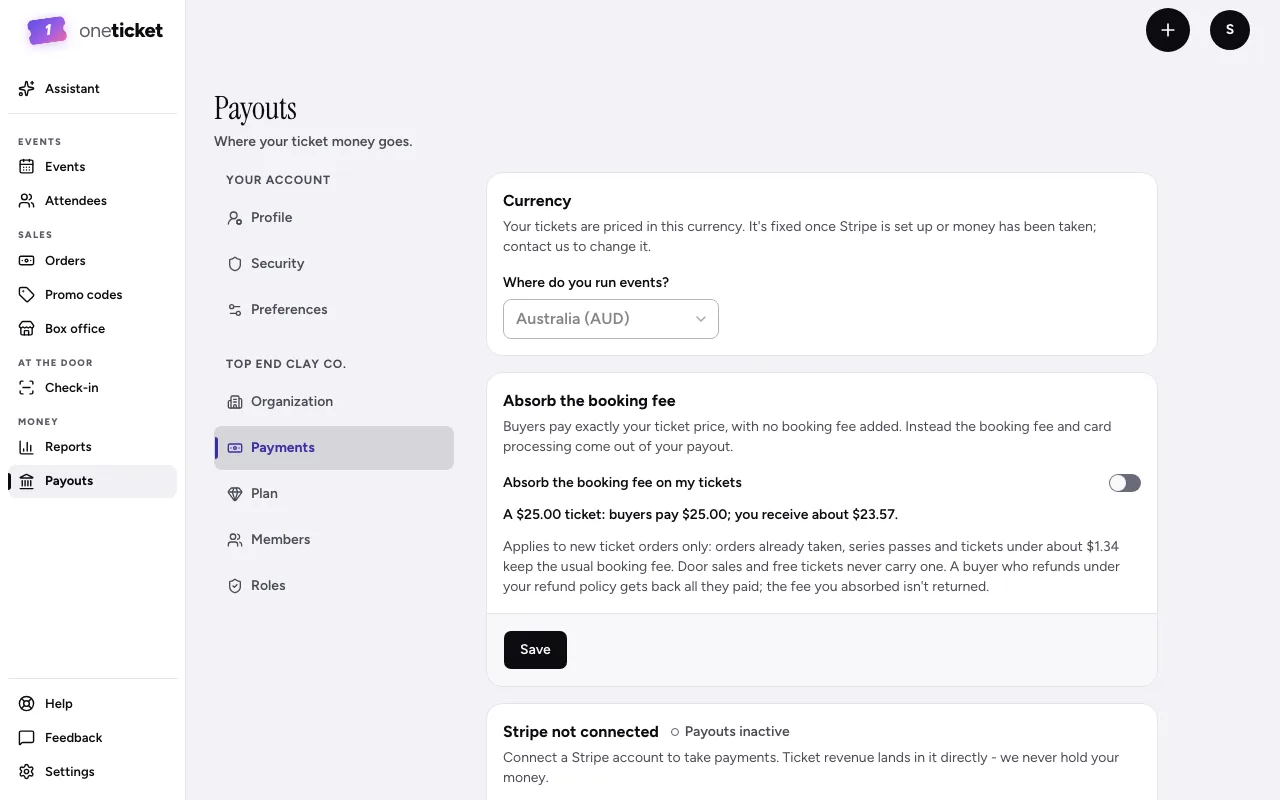
- Go to Payouts in the menu on the left (on a phone, More, then Payouts).
- Check your Currency first: it's fixed once Stripe is set up. See Choose your currency.
- Under Stripe not connected, choose Connect with Stripe.
- Stripe opens. Create or sign in to your Stripe account and answer its questions. It takes a couple of minutes.
- When Stripe sends you back, the card says Stripe connected and Payouts active. If it still says Stripe setup unfinished, choose Finish connecting Stripe, or Refresh Stripe status if you've just finished.
Until Stripe is connected
Your paid ticket types show on your event page, but nobody can buy one. The event editor reminds you: "Paid tickets need Stripe: nobody can buy one until it's connected."
Disconnecting
Choose Disconnect on the Payouts page, then Disconnect Stripe. Paid tickets stop selling until you connect again. Past orders stay in Orders.
Next: When you get paid.
Still stuck? Contact support and a person will get back to you.