The Assistant
Let AI do the hard work: draft an event from a sentence or a flyer, ask about your sales, and get descriptions and replies written.
The Assistant is AI that does the hard work for you. Describe an event in a sentence, or give it your flyer, and it drafts the event. It also answers questions about your sales and writes descriptions and replies. It suggests; you decide what's saved. Nothing is saved until you say so, it never publishes an event, and it never sends anything.
Open it
Choose Assistant at the top of the menu on the left. Type a message, or choose one of the examples.
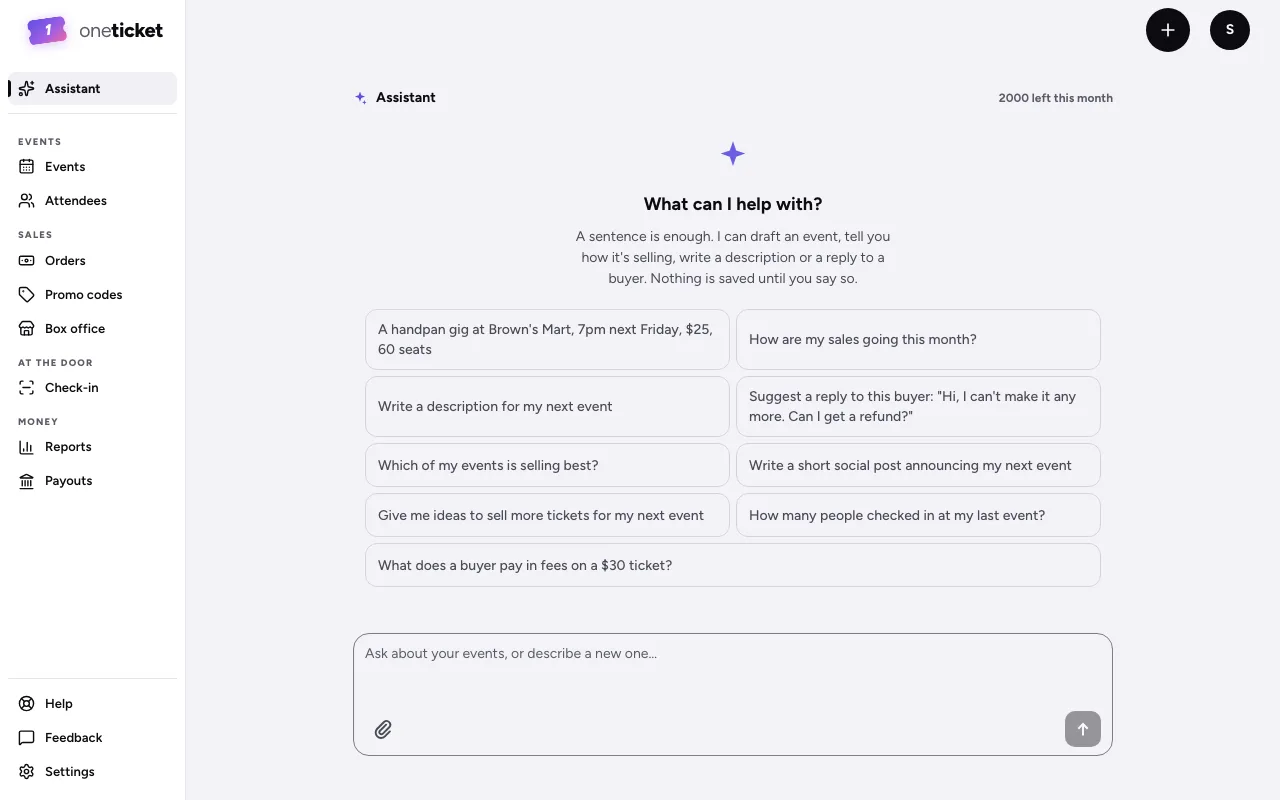
What you can ask
- Draft an event from a sentence: "A handpan gig at Brown's Mart, 7pm next Friday, $25, 60 seats". It shows an Event draft with the title, when, where, tickets and description, and what it assumed (Assumed: …. Check before you publish.). If something is missing, such as a date or the venue, it says Still needs it. Choose Create draft, then Open in the editor to check it and publish. It's saved as a draft: nothing goes on sale until you publish it yourself.
- Draft an event from a flyer: choose the paperclip to attach an image or a PDF of the flyer and it reads the event from it. A PDF can be up to 2 pages: attach just the page with the event on it. A smaller file or a photo works best.
- How sales are going: "How are my sales going this month?"
- A description: "Write a description for my next event". Choose Use this, then Replace description, to save it on the event.
- A reply to a buyer: paste their message and ask for a reply. Choose Copy and paste it into your email. Check it before sending.
Messages each month
| Plan | Messages a month |
|---|---|
| Free | 10 |
| Pro | 100 |
| Team | 300 |
The top of the Assistant shows how many are left. They start again on the 1st of each month. On any plan, your organiser can send up to 20 a day; more the next day. A message that fails with an error isn't counted. When they're used up, everything else works as usual.
Still stuck? Contact support and a person will get back to you.