Block a buyer
Stop someone booking your events, and unblock them later.
Blocking stops an email address booking your events, now and in future, including as a guest on someone else's order.
Block someone
- On Orders, open the order's menu (⋮) and choose Block buyer. (On Attendees, a person's menu has Block.)
- Under Who to block, tick the person or people on the order.
- Under Ticket types, choose This order (that ticket type only) or All ticket types.
- Optionally change What they are told when they try to book.
- Optionally note a Reason. Only you see it.
- Choose Block.
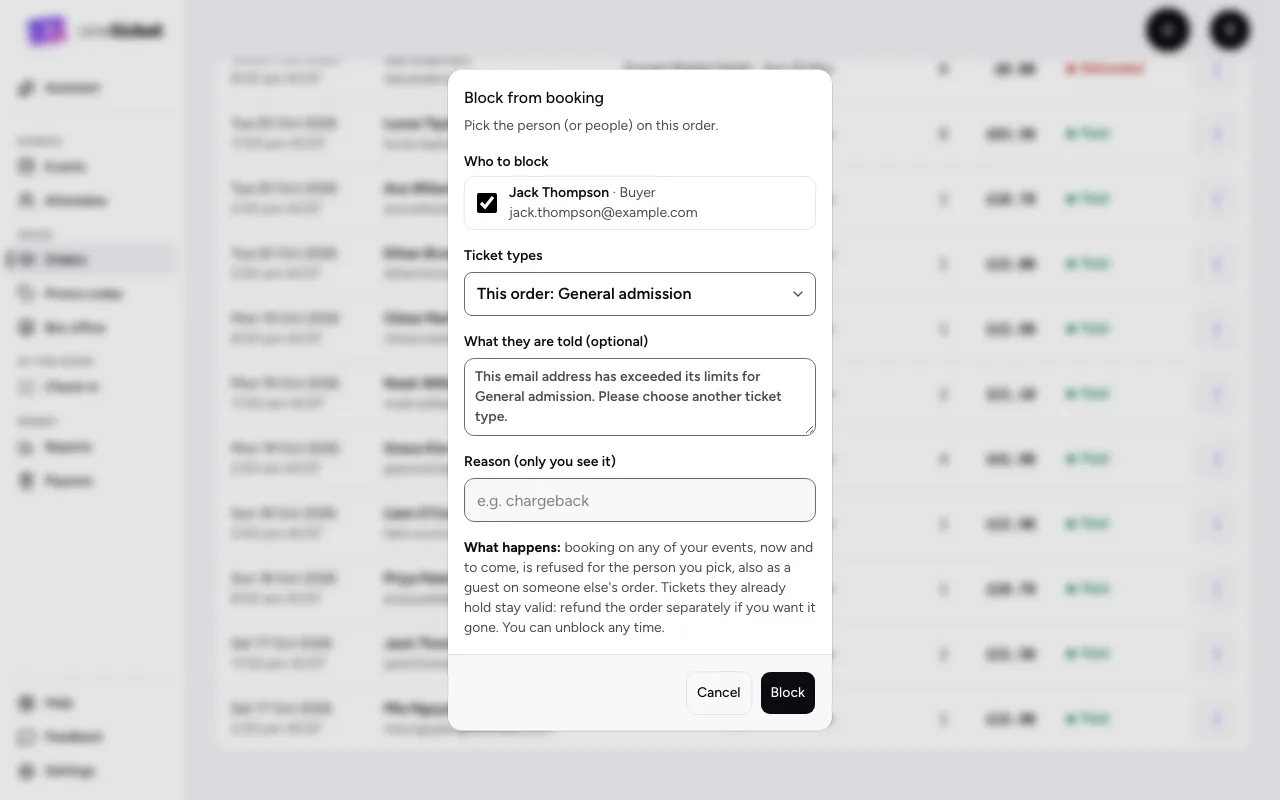
Tickets they already hold stay valid. To take those away too, refund the order. You can't block someone on your own team.
Unblock someone
- On Orders, choose Blocked buyers.
- Find them (search by email, ticket type or reason).
- Choose Unblock. They can book again.
Still stuck? Contact support and a person will get back to you.