Your plan
Free, Pro and Team: what each adds, your usage, the A$1 first-year offer, and how to upgrade or cancel.
Every organiser starts on Free, which has everything needed to sell tickets. Pro and Team add features; the booking fee is the same on every plan.
See your plan
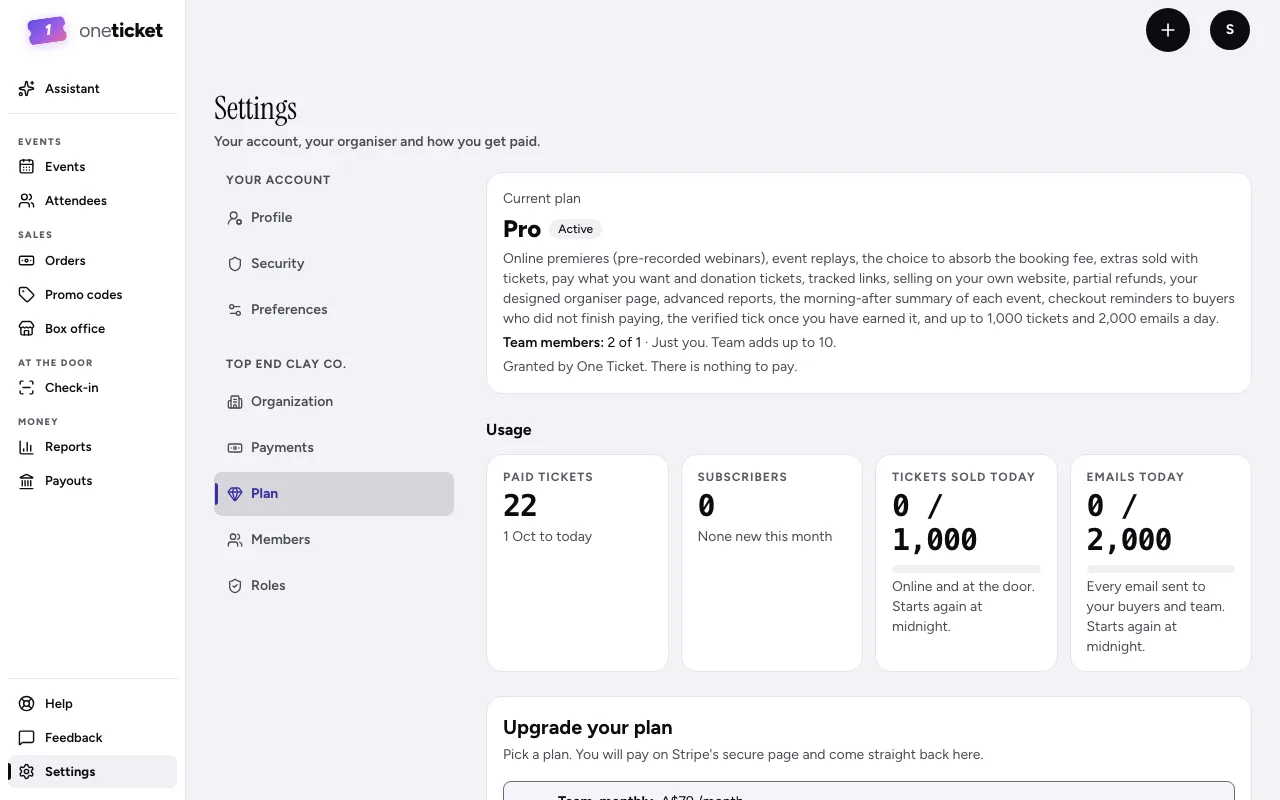
Go to Settings, then Plan. You'll see your Current plan, what it includes, and your Usage: paid tickets, subscribers, Tickets sold today and Emails today against your daily limits, and team members.
What each plan adds
| Free | Pro | Team | |
|---|---|---|---|
| Price | A$0 | A$29 a month, or A$290 a year | A$79 a month, or A$790 a year |
| Tickets a day | 500 | 1,000 | 2,000 |
| Emails a day | 500 | 2,000 | 5,000 |
| Assistant messages a month | 10 | 100 | 300 |
| People on the organiser | Just you | Just you | Up to 10, with roles |
Pro and Team add:
- Online premieres and replays
- Absorbing the booking fee
- Extras and pay what you want tickets
- Partial refunds
- The website widget and tracked links
- A designed organiser page: banner, links and colours (every plan has the page itself)
- Advanced reports
- The verified tick, once earned
- The morning-after summary and checkout reminders
Upgrading
Go to Settings, then Plan, and use Upgrade your plan. Signed in, the Upgrade button on the pricing page takes you there too. Signed out, it asks you to sign up as an organiser first, then lands you on the Plan page.
- Under Plan, choose Pro, monthly, Pro, annual, Team, monthly or Team, annual. Annual saves some months' payments.
- Choose Continue to Stripe and pay on Stripe's secure page.
- You come straight back: a welcome page says You're on your new plan and lists what it unlocked. It can take a few seconds to switch on.
If you leave Stripe without paying, nothing is charged and your plan stays as it was.
Only the organiser's Owner can change the plan. A plan that One Ticket Granted to you has nothing to buy here: contact support to change it.
The A$1 first-year offer
For a limited time, the first 100 organisers can take Pro or Team for A$1 for the first year. It's for organisers on Free who have never paid for a plan. While it's open, the upgrade card on the Plan page shows it as Limited-time offer, with the yearly price struck out, and a button like Get Pro for A$1.
- A card is needed. A$1 is charged today.
- A year later, the plan's monthly price starts (A$29 a month for Pro, A$79 for Team), unless you cancel before then.
- Your current plan shows the offer, its end date and what happens next.
- If the offer closes, the plans are back at their normal prices.
Move up, cancel, or move down
- Move up from Pro to Team with Switch now. The change is immediate and your card is charged the difference for the rest of the billing period, today. If you're in the A$1 year, switching ends it: the new plan starts today at its full price.
- Cancel plan keeps your plan until the end of what you've paid for, then you move to Free. Nothing is refunded. Choose Keep my plan before then to undo it.
- Manage billing opens Stripe to update your card, see invoices, switch between monthly and yearly, or move down a plan.
- If a payment fails, the Plan page says Your last payment did not go through, with Update payment method, and each owner is emailed "Your Pro plan payment didn't go through" (or Team) once, with an Update payment link, however often Stripe retries. Your plan stays on while Stripe tries the card again over the next few days; if every try fails, the plan ends and you move to Free.
Still stuck? Contact support and a person will get back to you.