Waiting room
When sales open at a set time and you expect a rush, buyers wait in a fair line instead of racing.
With the waiting room on, everyone on the event page when sales open gets a place in a fair line. Getting there early doesn't put anyone first: the places are drawn at random, so nobody has to race. They're let through to the tickets a few at a time.
Turn it on
- Give a ticket type a Sales start: in the editor, open it in Tickets, then More options. The line forms at the first sales start of a ticket type anyone can buy (not one hidden or behind an access code).
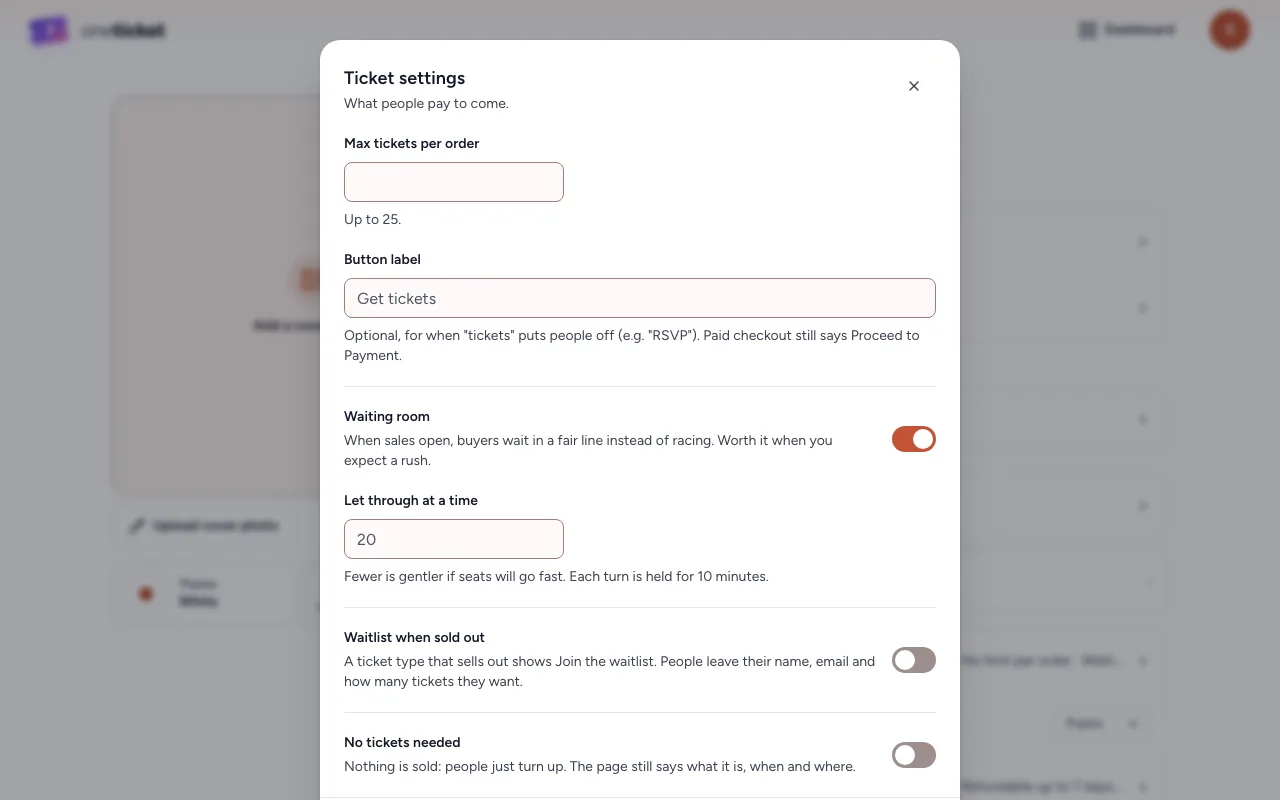
- In the editor, choose 8 settings, then Ticket settings.
- Switch on Waiting room.
- Optionally change Let through at a time (20 if left blank). Fewer is gentler if seats will go fast.
- Choose Done, then Save.
What buyers see
- Before sales open: the countdown, with a note to keep the page open. From an hour before, each person on the page has a place.
- When sales open: places are drawn at random. Each person sees how many people are ahead of them, a bar that fills as the line moves and, once it can tell, about how long until their turn.
- Their turn: the tickets show, with how long their turn is held. Each turn is held for 10 minutes, and only that browser can use it. Once someone books, the next person is let through.
- People who arrive later join the back of the line, in the order they came.
- Someone who closes the page is skipped until they come back, so the line isn't held up. If their turn runs out, they can join the back of the line again.
While anyone is waiting, nobody can book without their turn. When nobody is waiting any more, the waiting room switches itself off and the page sells as usual.
If the waiting room can't be reached, or its line stops moving, the page sells as usual rather than stopping sales.
The website widget
The widget on your own site can't hold a place in the line. While a line is going, it sends buyers to the event page to join it.
See also: What buyers see in the waiting room.
Still stuck? Contact support and a person will get back to you.