Make your organiser page yours
Your logo, your name, a banner and a one-line bio: the page that holds your listings, set up in a few minutes.
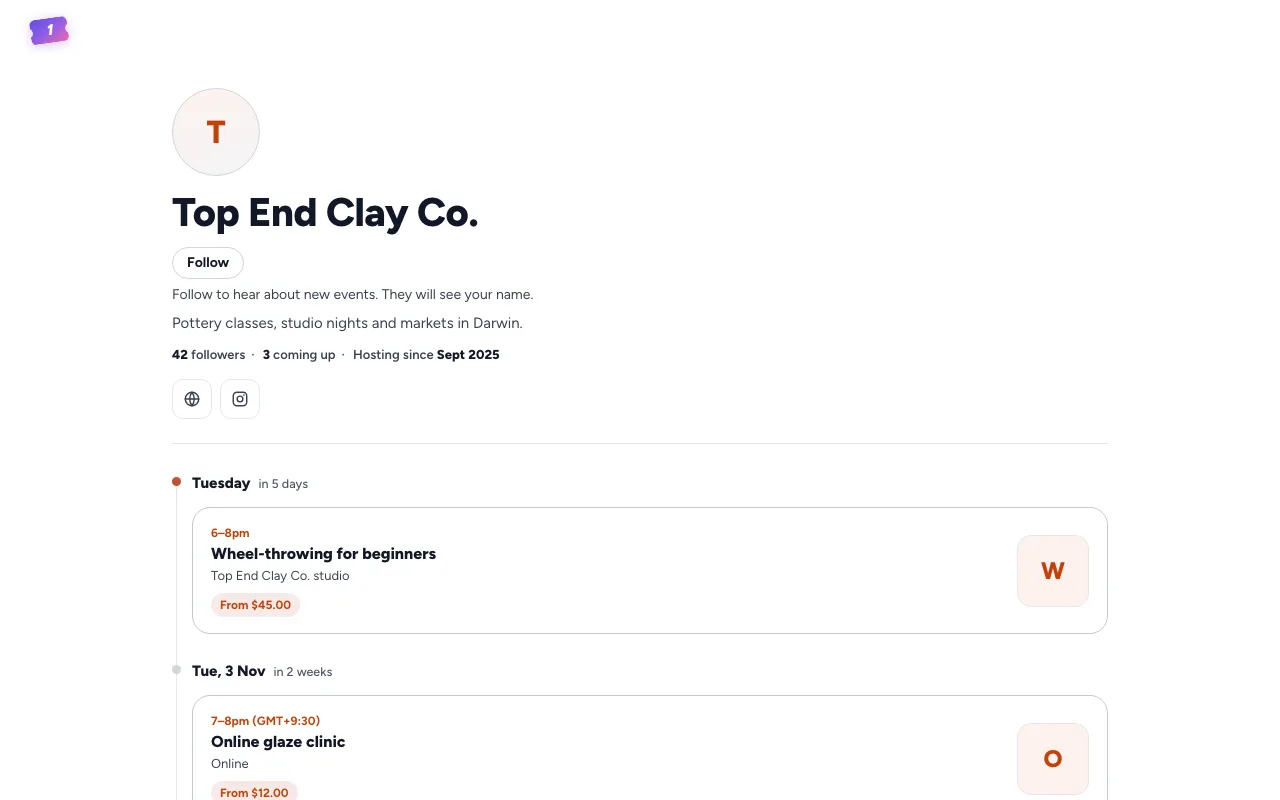
Your listings sit on your organiser page, with a Follow button. If we listed your event for you, we started the page from your organiser page on your platform: your name and picture, and its banner, bio and links where it has them. Once it's in your account, make it look like you.
Go to Settings, then Organisation.
Your logo
Under Organisation logo, click to upload a picture: JPEG, PNG, GIF or WebP, up to 2 MB. It's saved as soon as you choose it. Clear takes it off.
Your name
Organisation name is the name people see on your page and your listings. Change it, then choose Save changes.
A banner and a line about you
Under Your public page:
- Banner: choose Upload banner. It runs across the top of your page, with your logo over it. A wide picture works best, and it's saved as soon as you choose it.
- One-line bio: what you put on, where, or who it's for, in up to 160 characters.
- Choose Save.
Choose View your page to see it as everyone else does, or Copy link to share it.
For your page's address, links to your website and socials, and its colours, see Your organiser page.
Still stuck? Contact support and a person will get back to you.